Quality and testing
Quality deserves more than
a headline.
Look at what was tested, how the result was measured and which sample the report describes. Those details give a result its meaning.
Know where
to look.
- Sample / lot reference
- Which sample does the report describe?
- Method
- How was the finding obtained?
- Result and units
- What was reported, and on what basis?
- Issuer / date / revision
- Who issued this version, and when?
Separate the questions
Four questions. Four different answers.
Identity, purity, quantity and sterility answer different questions. Read the result and method for the question you are asking.
Identity
What material was tested?
Read the material name and the method used to identify the tested sample.
Purity
How is purity reported?
Read the value with its method, units and measurement basis.
Quantity
What amount is stated?
Read the assay or quantity result with its units and stated scope.
Sterility
Was sterility tested?
Look for a separate sterility result. Identity or purity alone does not establish it.
The matching reference
First, match the sample.
Compare the material name, stated amount and any actual lot reference with the record you are reading. A similar name is not an exact reference match.
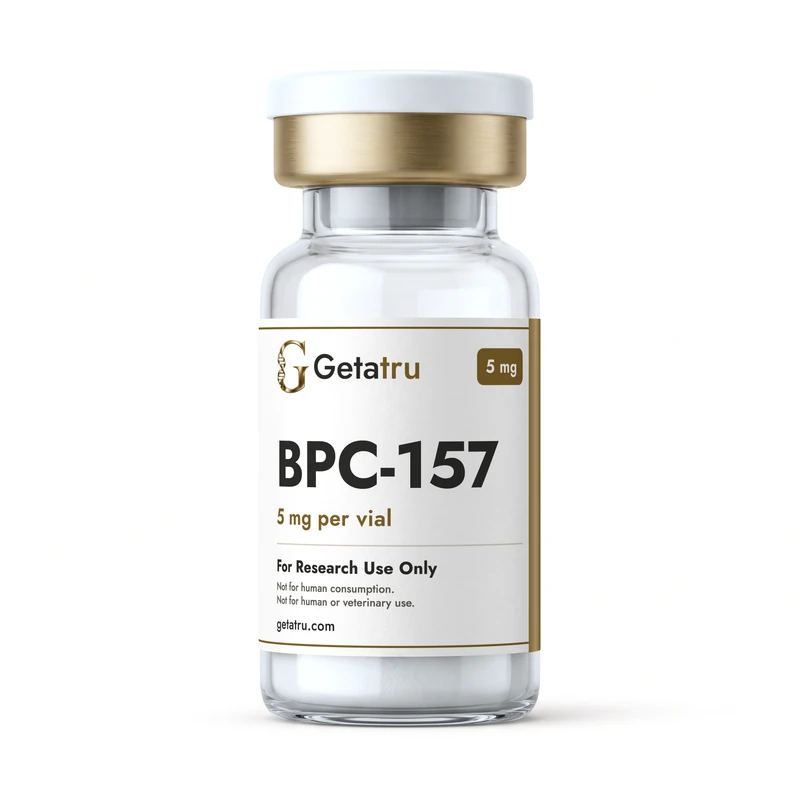
This example identifies a catalog variant. No lot or test result is shown.
- A SKU identifies a catalog variant; it does not identify a lot or individual vial.
- Use an actual printed lot reference when checking lot evidence.
- A product photograph or working QR link is not proof of a test result.
A useful reading order
Read the report in order.
Begin with the sample. Then follow the method, result and document details. Keep the stated limits alongside the finding.
Sample identity
Check the named material, sample identifier and lot reference, where provided.
Method and units
Read which method was used and how the measurement is expressed.
Result and stated limits
Read the finding together with its measurement basis, scope and limitations.
Issuer, date and revision
Identify who issued the report, its dates and the document revision that applies.
Names and responsibilities
Who issued the evidence?
Use the names and roles the report itself gives. A logo or page design cannot establish who performed the work.
Supplier
Who provided the material.
Testing laboratory
Who performed the analysis named in the report.
Issuer
Who issued the document and its revision.
Current documentation
Know where documentation stands.
The current Getatru product records show COA pending. Certificates of analysis will appear on the relevant records when they are published.
Pending means the certificate is not available on the record. It does not assert that a test passed or that a physical vial was authenticated.
The status is part
of the information.
Read the status on the matching product record.
View current product recordsA useful next step
When the details do not agree.
Contact [email protected] with the exact SKU and any printed lot reference. If two details disagree, include both as shown.
Can I use a report for another lot?
Use the record for the actual lot reference you hold. A report for a different lot is not a substitute.
Does a working QR code authenticate my vial?
A QR code opens its linked record. A copied code can still resolve, so a working link alone does not authenticate an individual vial.
What should I send to support?
The material name, exact printed reference and the detail you want to check. Do not include medical information or payment-card details.
For research use only. Not for human consumption. Not for human or veterinary use.